Understand
Capture Situation, Need, And Solution on Overview.
PMO Pilot is PMO software for project portfolio management: one workspace for portfolio, planning, delivery, governance, and finance, from initiation to closeout, with approval-based access built in from day one.
Access is request & approval based, built for accountable delivery teams, not anonymous sign-ups.
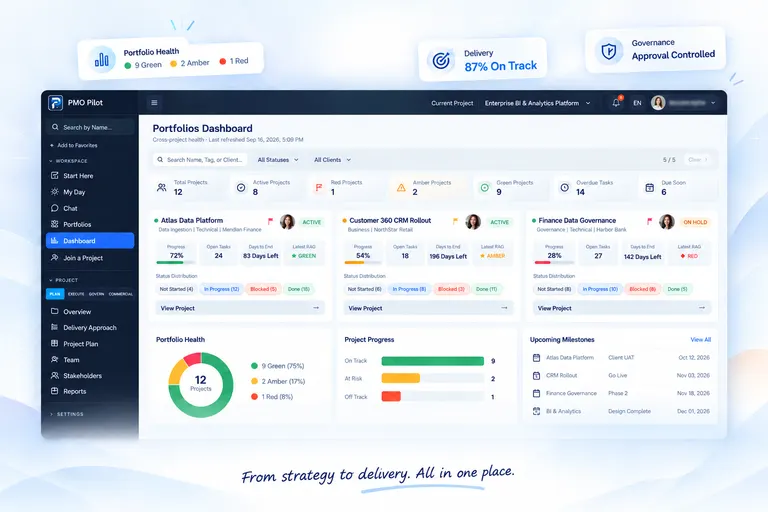
From the first conversation to closeout, one workspace carries the story, the plan, and the registers PMs already run.
 One Project
One Workspace
One Project
One Workspace
Capture Situation, Need, And Solution on Overview.
Lock identity, charter, phases, and streams in one place.
Stack phases, blocks, and main activities on the delivery board.
Paint the high-level timeline, then build the detailed plan with links, durations, and a baseline.
Tasks link to plan lines and roll progress up. Govern from the same registers: RAID, meetings, closeout.
PMO Pilot isn't theory. It's built by project management professionals who have chased sign-offs over email, rebuilt a RAID log from memory, and reconciled three versions of the same spreadsheet before a steering committee call.
Every register, approval flow, and report in this workspace exists because a real PM needed it on a real project, so your day gets easier, not busier with another tool to check.
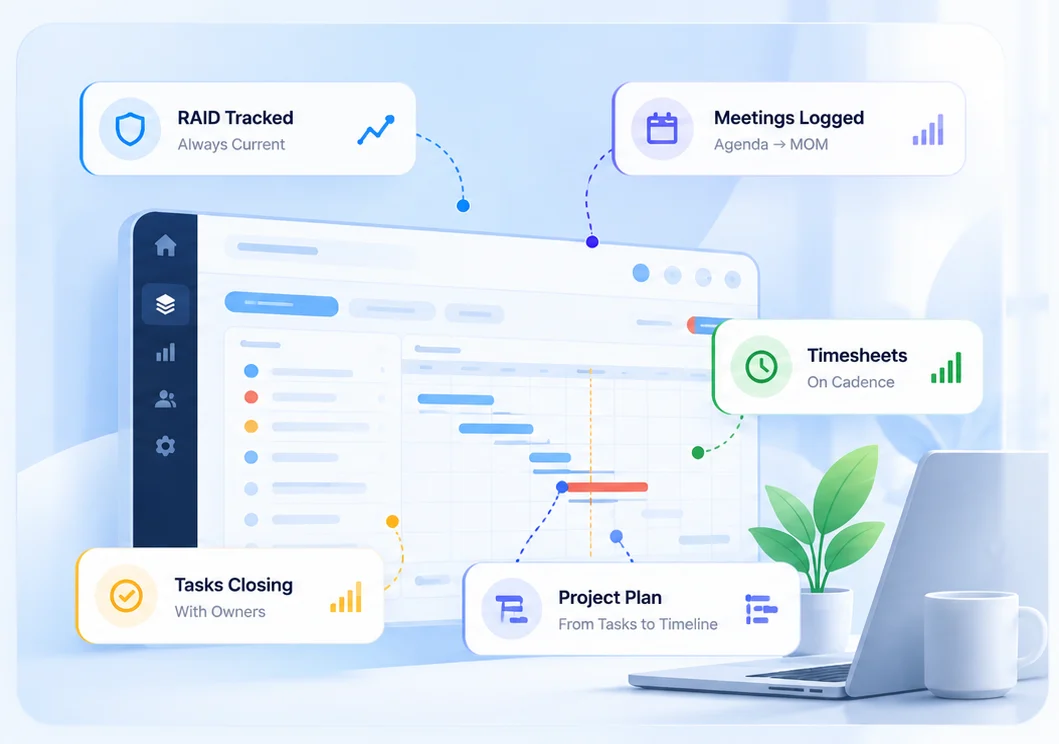
No add-ons to buy later. Portfolio through closeout ships as one coherent set of registers.
Build the plan top-down: outline, durations, and links. Tasks then hang off plan lines, so progress rolls up from the work your team actually does.
Indent lines into phases and summaries, add milestones, and count durations in working days that skip your holidays.
Finish-to-start, start-to-start, finish-to-finish, and start-to-finish. When a predecessor moves, the dates that depend on it move too.
Pin a line with start no earlier than or must finish on, and set deadlines that turn red when the finish slips past them.
See which lines drive the end date, and how much room the rest have.
Set a baseline, save snapshots, and compare start and finish variance against the plan you committed to.
Percent complete rolls up from linked tasks. A status column and late indicators show what is behind against your status date.
Import an existing MS Project schedule as plan lines: outline, durations, links, and baselines.
Every list module (Tasks, RAID, Meetings, and more) follows the same entry / report pattern, so teams learn it once.
Cross-project status, progress, and open work at a glance, with search, filters, and export.
Track risks, assumptions, issues, and dependencies with impact, status, and ownership.
Schedule meetings and capture agenda, attendees, and minutes in a structured record.
High Level Approach and High Level Timeline: phases, blocks, and month paint before the detailed plan.
Table and Kanban views with owners, dependencies, planned vs. actual dates, and a full activity log.
Pulse, Delivery, Governance, and Commercial lenses in one 360° project view.
Approve hours, track billing-ready effort, and tie invoices to real delivery work.
A month grid across the team with public holidays and leave categories at a glance.
PMO Pilot models roles from day one, so the right people see the right projects.
Create an account with your work email and basic details.
Confirm your address with a one-time code.
A platform admin reviews and approves your access. Your trial starts the moment you are approved.
Access the projects and roles you've been granted.
For 20–80 person consulting and client-delivery firms juggling spreadsheets, work boards, and a separate MS Project file. Made by Twinsen Inc., a Canadian software company, with the full workspace in English and French.
Limited founding places for consulting firms. Talk to us for CAD pricing and a 24-month lock. Public list pricing stays on Plans below.
Named members, billed yearly by default. Client Portal guests stay free. No checkout on this page. Request access and we will set your plan.
For Delivery Teams
Governed project registers without client billing.
$9/ Member / Mo
Billed Yearly
For Client DeliveryRecommended
The PMO workspace plus billable time and invoices.
$16/ Member / Mo
Billed Yearly
For The Firm
Same product, production platform. Talk to us to scope it.
$29/ Member / Mo
Billed Yearly
Custom
Named members are billed. Client Portal guests are free. Two internal viewers per paid member are free, then $3. Minimum three named members.
| Capability | Core | Professional | Organization |
|---|---|---|---|
| Portfolio And Dashboard | |||
| RAID, Decisions, And Change Requests | |||
| Timesheets With Approve Queue | |||
| Invoices Tied To Delivery | |||
| Client Portal (Guest Seats Free) | |||
| Chat With Team Members | |||
| Export Data As Excel | |||
| My Activity | |||
| PPT Executive | Roadmap | ||
| Single Sign-On | Roadmap |
Core includes delivery registers. Professional adds the project plan, client billing, team collaboration, and export. Organization adds platform extras. Items marked Roadmap are not yet shipped.
Request access in minutes. An admin will approve you into the right projects and roles.
Already have access? Sign in